IT teams are under constant pressure to deliver fast, reliable, and secure networks across diverse environments. As remote branches, hybrid work, and edge connectivity become standard, cloud-managed switching provides the agility needed to operate at scale. Cisco Meraki’s ease of use has long made it a favorite for managing distributed networks, but the need for enterprise-grade hardware often meant choosing between cloud simplicity and Catalyst-class performance.
That’s changed. The evolution of Cisco Meraki switches now includes full support for cloud-native IOS XE. This major shift eliminates the older container-based firmware, known as CS firmware, which was previously used to support Catalyst hardware in Meraki environments. Now, Meraki-managed Catalyst switches run native IOS XE firmware, bringing performance, extensibility, and enterprise-grade controls into Meraki’s cloud dashboard.
In this article, we will explain what this means for technical teams, how to select the right operating mode, and how cloud-native IOS XE impacts performance, telemetry, configuration, and future capabilities.
Cloud management has transformed the way organizations approach network operations, offering a level of flexibility and scalability that traditional on-premises solutions simply can’t match. By centralizing network administration in the cloud, IT teams can manage, monitor, and optimize their entire infrastructure from a single, intuitive dashboard no matter where their devices or users are located. Cisco Meraki stands at the forefront of this evolution, providing cloud-managed solutions that streamline operations and reduce the complexity of managing distributed networks.
With cloud management, organizations benefit from real-time visibility, automated updates, and robust security controls, all accessible through the Meraki dashboard. This centralized approach not only simplifies day-to-day network operations but also empowers IT teams to focus on strategic initiatives that drive business growth. By leveraging Cisco Meraki’s cloud-managed platform, businesses can ensure their networks are agile, secure, and ready to support the demands of modern digital environments.
Cloud Management with IOS XE represents a significant leap forward in network administration, combining the enterprise-grade power of IOS XE with the simplicity and efficiency of cloud management. This integration allows organizations to manage their Catalyst switches directly from the Meraki dashboard, unifying device configuration, monitoring, and troubleshooting within a single, cloud-based interface.
With management with IOS XE, IT teams can deploy and configure Catalyst switches using cloud configuration tools, reducing the need for manual intervention and minimizing the risk of errors. The Meraki dashboard provides comprehensive visibility into network performance and device status, enabling rapid response to issues and streamlined troubleshooting. By adopting cloud management with IOS, organizations can optimize network operations, enhance security, and scale their infrastructure with ease. This approach not only simplifies configuration and management but also ensures that networks remain resilient and adaptable to changing business needs.
The combination of Cisco Meraki and Cloud Managed Catalyst Switches delivers a powerful, unified solution for organizations seeking to modernize and simplify their network operations. By integrating Meraki cloud management with Catalyst switches, businesses gain the ability to configure, monitor, and manage their entire switching infrastructure from the centralized Meraki dashboard. This seamless integration supports both cloud configuration and device configuration, allowing IT teams to adapt quickly to evolving requirements.
Cloud managed catalyst switches leverage the strengths of both platforms—Meraki’s intuitive cloud management and Catalyst’s robust hardware capabilities—to provide enhanced security, operational efficiency, and scalability. The Meraki dashboard enables organizations to easily configure network policies, monitor device health, and troubleshoot issues across multiple sites, all while maintaining consistent performance and compliance. With Meraki cloud management, organizations can simplify network operations, reduce administrative overhead, and unlock new levels of agility and control, making it an ideal solution for enterprises looking to future-proof their network infrastructure.
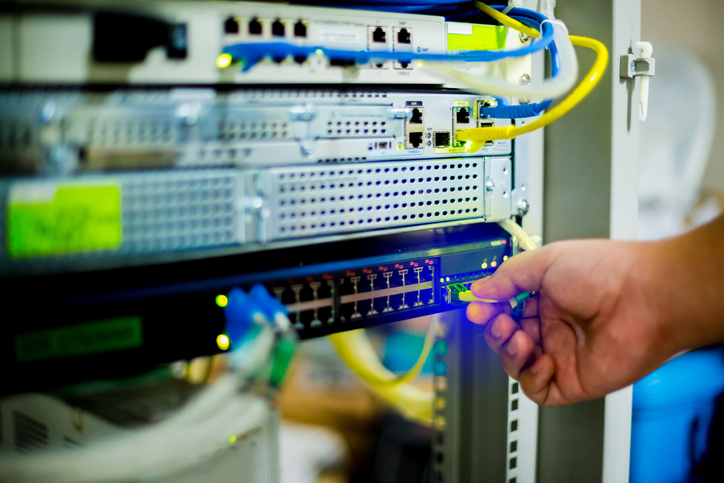
Earlier iterations of Cisco Meraki switches, specifically Catalyst-based hardware like the MS390, relied on containerized firmware to bridge the gap between Meraki cloud management and IOS XE-based platforms. While this approach worked, it introduced latency in configuration pushes, limited telemetry resolution, and delayed support for advanced features.
With IOS XE 17.15.3 and later, Cisco has replaced this architecture with a truly native cloud-managed mode. Notably, IOS XE 17.18.1 is a significant release for cloud-managed Catalyst switches, offering enhanced feature support and stability. Selecting the appropriate IOS XE release is crucial to ensure access to the latest functionalities and optimal network performance. The Meraki dashboard now communicates directly with the switch’s control and data planes via YANG-based APIs, removing the need for intermediate containers. This results in faster boot times, better telemetry, and more predictable configuration behavior, especially when running the latest release, which can further improve performance and streamline configuration.
All configuration logic, event processing, and telemetry flows now occur directly on IOS XE, on the same operating system trusted by thousands of Catalyst customers worldwide.
Cisco now offers two distinct management modes for Meraki-managed Catalyst switches: Meraki Cloud-Managed mode and Catalyst Monitored mode. Meraki Cloud-Managed mode allows full configuration and management of Catalyst switches directly from the Meraki dashboard, providing a unified cloud-based experience. Catalyst Monitored mode, on the other hand, enables monitoring of Catalyst switches and wireless controllers through the Meraki dashboard while retaining their existing IOS XE configuration and CLI-based management. Management with cloud configuration enables easier onboarding, flexible management options, and advanced cloud-enabled functionalities that improve network operations and troubleshooting.
Both modes leverage native telemetry and cloud visibility for streamlined operations. Cloud monitoring provides real-time visibility, monitoring, and troubleshooting for both management modes, simplifying network operations and enabling remote management capabilities.
In Cloud Mode, all configuration is managed exclusively through the Meraki dashboard. The switch accepts read-only access via the Meraki-hosted Cloud CLI. There’s no local CLI access, and changes must be made centrally. This mode is ideal for organizations standardizing operations and preferring a cloud-first model.
Cloud monitoring for Catalyst enables real-time monitoring and lifecycle management for Catalyst switches operating in Cloud Mode.
Hybrid Mode allows for full local CLI access while also pushing telemetry to the Meraki dashboard. Network administrators can configure interfaces, routing, and protocols directly through the console while gaining cloud-based visibility, packet capture, and troubleshooting. Intelligent packet capture in Hybrid Mode further simplifies troubleshooting by enabling automated analysis of network traffic, making it easier to identify and resolve issues quickly. Hybrid Mode is recommended for advanced environments with complex routing or NAC policies.
Each mode comes with trade-offs. For distributed enterprise environments or retail deployments with limited on-site IT, Cloud Mode ensures standardization and ease of use. For campus environments or networks requiring on-premise control over Layer 3 and policy enforcement, Hybrid Mode provides flexibility.
Cisco Meraki switches in either mode benefit from native telemetry and cloud visibility, eliminating the delay or translation overhead present in containerized systems.

The introduction of Cloud CLI provides a secure method for engineers to access IOS XE without exposing the switch to the open internet. From the Meraki dashboard, a Cloud CLI session is launched in a browser, enabling real-time diagnostics and command-line access based on the selected management mode.
In Cloud Mode, this interface is read-only, ensuring configuration compliance and avoiding conflicts with dashboard policies. In Hybrid Mode, the CLI is fully writable, offering engineers the ability to apply advanced configurations or debug complex routing behavior on-site or remotely.
This feature bridges the gap between traditional IOS workflows and modern Cisco Meraki switches, giving administrators the freedom to troubleshoot without losing control over auditability and security.
Cloud-native IOS XE introduces powerful automation and safety tools that protect uptime and simplify onboarding.
Uplink Auto Configuration (UAC) helps switches automatically determine their best path to the Meraki cloud. If one uplink fails, the switch automatically fails over to a secondary path, ensuring persistent dashboard connectivity.
Equally important is the Safe Config feature. When administrators push a configuration change that could disrupt access, such as modifying interface or VLAN settings, the switch automatically applies the changes with a two-hour rollback window. If connectivity to the Meraki dashboard is lost, the system restores the previous known-good config without human intervention.
This reduces the risk of lockouts, a common concern when managing Cisco Meraki switches across branch offices or unmanned sites.
With the removal of containerized translation layers, configuration changes pushed from the Meraki dashboard now apply directly to IOS XE. This YANG-based structure offers more precise control, faster application of settings, and better error handling.
Dashboard operations such as VLAN provisioning, interface updates, or port security are now executed in seconds, not minutes. This leads to a 60% improvement in configuration speed and up to 50% faster boot times for affected switches.
In addition, the Meraki dashboard can now offer better feedback, highlighting misconfigurations, showing native CLI output for errors, and ensuring consistency across multi-site deployments. This improves confidence for IT teams deploying Cisco Meraki switches at scale. These architectural improvements also pave the way for new features and enhanced device integration, enabling more advanced network management capabilities in future updates.
The cloud-native IOS XE update is currently supported on several popular Catalyst platforms, including:
Certain advanced features, such as traffic analytics and application visibility, require an active DNA advantage license on the switch.
Organizations deploying Cisco Meraki switches across large environments can upgrade from legacy Meraki container firmware to native IOS XE via a dashboard-initiated upgrade. The process is straightforward but irreversible. Once the switch is converted to native IOS XE, it cannot be downgraded to container-based firmware.
For Catalyst devices previously managed through CLI and Cisco DNA Center, the upgrade path to cloud-managed IOS XE introduces Meraki dashboard control without sacrificing enterprise capabilities. However, care must be taken to evaluate VLAN overlaps, routing policies, and CLI-based features that may behave differently in dashboard-managed mode.
Stratus Information Systems helps customers evaluate these upgrade scenarios and ensures a smooth transition that preserves performance, visibility, and compliance.
Several architectural elements change when managing Cisco Meraki switches via cloud-native IOS XE.
Most notably, Meraki-managed switches now use a single management IP interface (SVI), shared with routing logic. This simplifies device configuration and streamlines access control, but may require updates to ACLs or policy enforcement rules.
The default Spanning Tree Protocol also shifts from PVST (Per-VLAN Spanning Tree) to MSTP (Multiple Spanning Tree Protocol), offering broader compatibility with other Meraki switching environments. Simulated PVST compatibility ensures legacy interoperability in most cases.
For large networks, the Alternate Management Interface (AMI) may be needed to separate management traffic from routing or service-plane flows. This is particularly useful in hybrid deployments mixing Catalyst CLI-managed and Meraki cloud-managed switches. When planning upgrades or migrations, it is important to consider separate network segments to ensure proper connectivity and minimize issues, especially when dealing with different VLANs, uplinks, or management interfaces.
Native telemetry in IOS XE allows Cisco Meraki switches to send syslogs, SNMP data, event logs, and performance metrics directly to the Meraki dashboard, so no container translation or encoding is needed. This results in more accurate diagnostics, faster alerting, and real-time visibility.
Tools such as live packet capture, port-level event logs, and historical configuration tracking are now fully integrated and responsive. Network engineers can drill into a problem, view traffic stats, and correlate configuration changes, all from a single interface.
This level of integration improves daily operations and accelerates troubleshooting across campus, branch, or hybrid environments where consistent insight is critical.
Users should review Cisco documentation for any known issues related to telemetry or dashboard integration in their region.
The move to cloud-native IOS XE sets the stage for a host of advanced features not previously possible on container-based Meraki platforms. This includes:
With native IOS XE, feature velocity increases significantly. Customers no longer need to wait for complete firmware overhauls to access new capabilities. The Meraki dashboard and IOS XE software are now decoupled, allowing more agile development cycles and faster access to innovation.
Cisco’s introduction of native IOS XE for Meraki-managed Catalyst switches bridges a longstanding gap between cloud simplicity and enterprise-grade control. Whether you’re managing remote branches or scaling campus deployments, this change unlocks performance, extensibility, and clarity without increasing operational complexity.
Organizations deploying Cisco Meraki switches can now take full advantage of IOS XE’s flexibility and Meraki’s centralized cloud control. It’s a future-ready combination that empowers teams to scale without compromise.
Stratus Information Systems helps organizations plan and implement their transition to cloud-native IOS XE. Our team delivers expert guidance from planning to post-deployment support.
Contact us today to speak with a Cisco-certified expert and explore how to modernize your Meraki switching environment for performance, security, and long-term scalability.